Webhooks 概念
简单来说,WebHook 是一种 HTTP 回调。某些条件下触发的 HTTP POST 请求;通过 HTTP POST 发送的简单事件通知。
方案
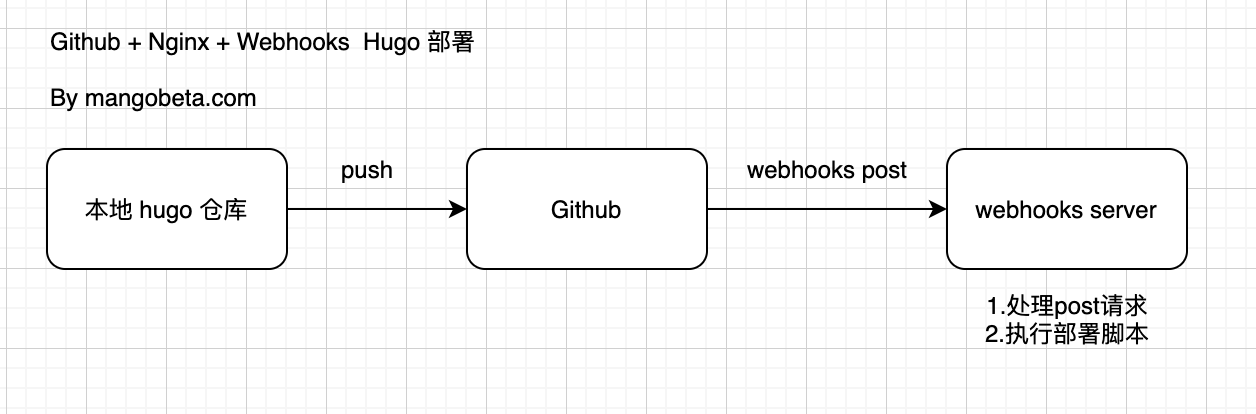
Github 管理 Hugo 应用仓库,本地修改提交通过 Webhooks 触发服务端拉取最新更新,部署 Hugo 应用。
基础结构
架构图如下:
部署前准备:
- 需要服务端安装好 nginx,hugo,git
- webhook 服务端(go 应用,这里我们使用 adnanh/webhook)
adnanh/webhook 配置
举个栗子🌰
hooks.json
[
  {
    "id": "hugo-redeploy-webhook",
    "execute-command": "/var/scripts/redeploy.sh",
    "command-working-directory": "/data/mangobeta-com-hugo"
  }
]
redeploy.sh
#! /bin/bash

cd /data/mangobeta-com-hugo
# 拉取代码
git pull
# 生成静态文件
hugo -D
启动 webhooks
nohup ./webhook -hooks hooks.json -verbose >output 2>&1 &Nginx 配置
mangbeta-hugo.conf
server {
    listen       80;
    server_name  mangobeta.com;
    root         /data/mangobeta-com-hugo/public;

    location / {

    }

    error_page 404 /404.html;
    location = /404.html {
    }

    error_page 500 502 503 504 /50x.html;
    location = /50x.html {
    }
}
Github 配置
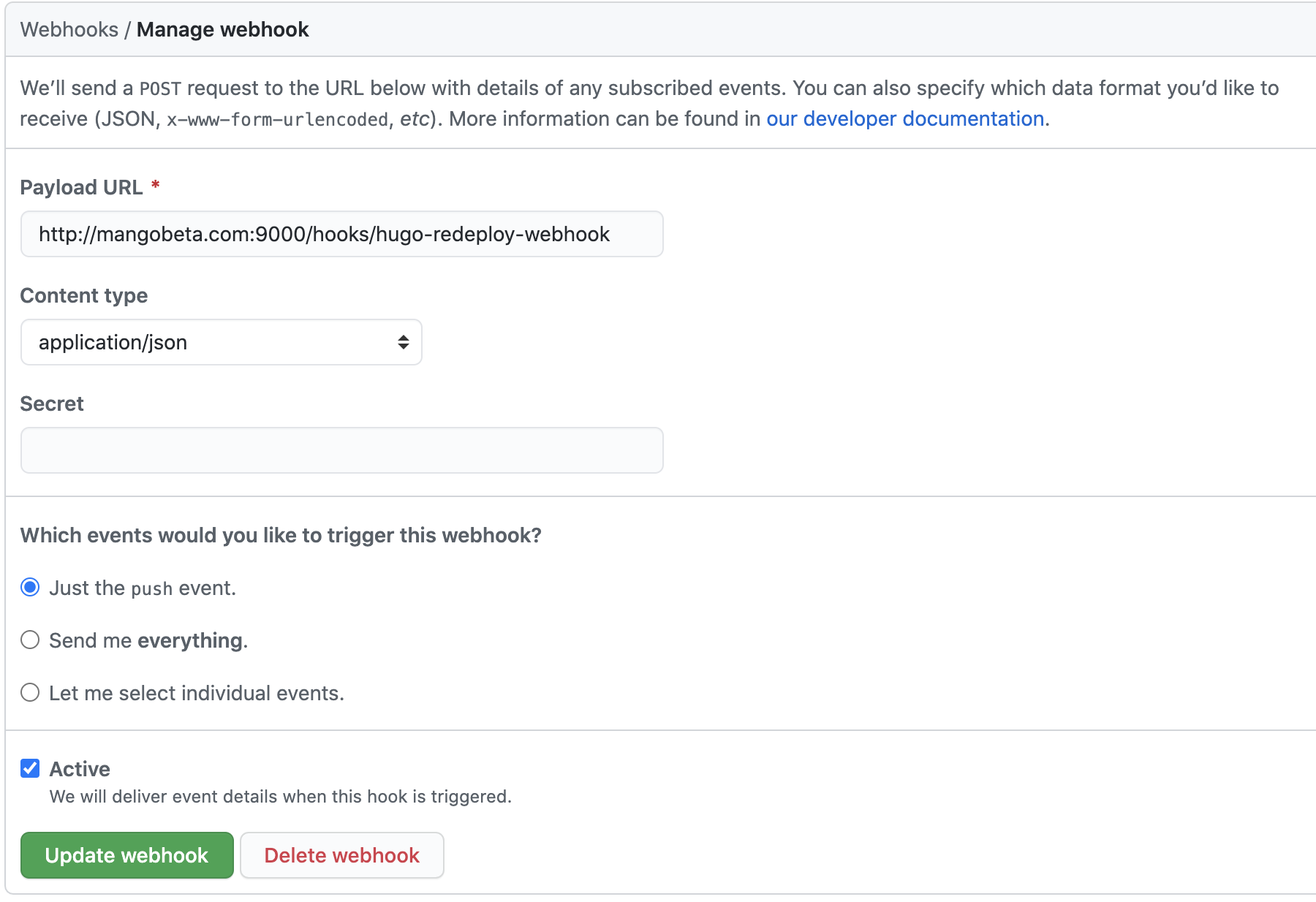
选择要做 webhook 的仓库,点击设置,新增 Webhooks,由于我们只需要监听push事件,选择Just the push event.即可
配置示例: 这里仅做测试,没有设置密码,大家在实际使用中,建议使用https 或者设置密码。
现在只有push commit,hugo 就会自动构建了,方便好用😁。